
Wipe Me Down AI Video Generator
Upload one photo of each person and get a 15-second vertical dance video that follows the Wipe Me Down routine, synced to the original audio.
Make my Wipe Me Down videoWhat Is Wipe Me Down AI?
Wipe Me Down AI recreates the viral two-person Wipe Me Down routine with the faces and outfits from your own photos. The moves, timing and soundtrack come from a fixed reference clip, so every video keeps the recognizable rhythm.
There is nothing to tune: no model, length or quality settings. Choose a scene, add two photos and the video is generated at 480p in a 9:16 frame, ready for vertical feeds.
More AI Video Templates
How to Make a Wipe Me Down AI Video
Add two solo photos
Upload a clear photo of each person, one per slot. Photo 1 becomes the dancer who starts at the back left, photo 2 the one who starts in front on the right.
Pick a scene
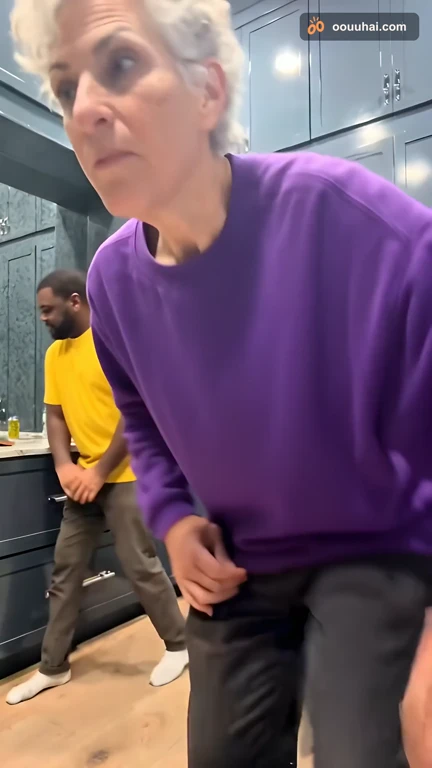
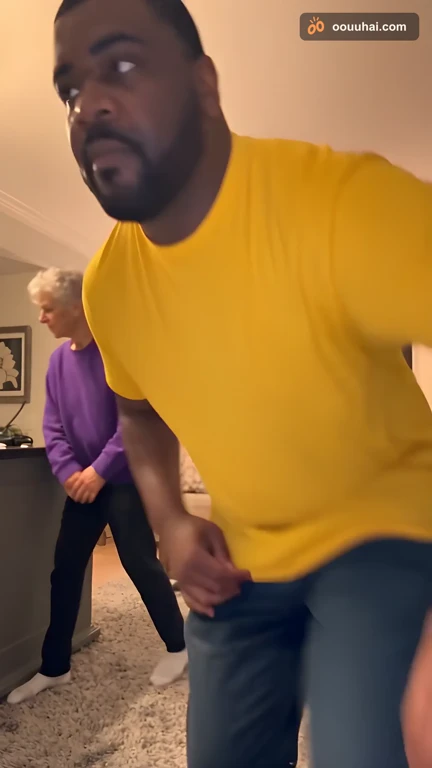

Choose the kitchen, a cozy living room, a garage party or a city rooftop. The dance and audio stay the same in every scene.
Watch and share
Follow progress in My videos. When it is ready, download the MP4 and post it to TikTok, Reels or Shorts.
Wipe Me Down AI FAQ
What photos should I upload?
Use two separate photos with one person in each. A clear, evenly lit, front-facing half-body shot works best, with the face, hair and upper-body clothing visible. JPG, PNG, WebP and HEIC are accepted, up to 20 MB each. Only upload photos you have permission to use.
Can I use one photo of both of us?
No. Wipe Me Down AI needs two individual photos so each person can be matched to one dancer. The photos can be taken at different times and places.
Which photo becomes which dancer?
The upload order decides the roles: photo 1 becomes the dancer who starts at the back left of the routine, and photo 2 the dancer who starts closer to the camera on the right. Swap the photos to trade roles.
Which scenes can I choose?
Kitchen, living room, garage party and city rooftop. The scene changes the background and lighting; the routine, timing and soundtrack stay the same.
Does the video keep the original sound?
Yes. The finished video uses the fixed Wipe Me Down audio from the reference clip. No voice recording is needed and your voice is not cloned.
How long is the video and what format is it?
Each video is about 15 seconds long, vertical 9:16, at 480p. These settings are fixed for this page.
How much does a Wipe Me Down AI video cost?
Each video costs 10 credits with the limited-time half-price offer, valid through November 30, 2026; the regular price is 20 credits. If your balance is too low, you can buy credits right from the creator.
Will the result look exactly like us?
Your photos guide each dancer’s appearance, and the reference guides the moves. AI video can still vary in faces, hands and timing, so review the result before sharing it.
What happens if generation fails?
If a paid video fails, the credits return to your balance automatically. You can close the page after submitting; progress and any failure reason appear in My videos.
Are my photos private?
Uploads and videos are not published in a public gallery or used to train our own models. Source photos are removed from our storage 24 hours after the video completes or fails. See the privacy policy for full details.